
The Portfolio tab allows you to showcase a gallery of images along with key information about a user or project. This section is designed to highlight visual content and provide relevant details in an organized manner.
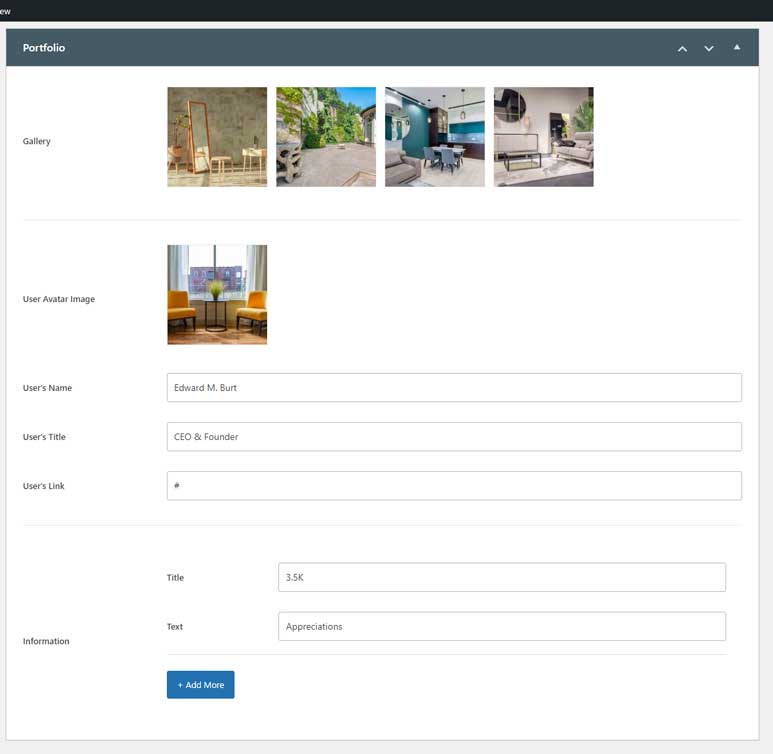
Below are the available setting fields:
- Gallery: Upload and display a collection of images for the portfolio.
- User Avatar Image: Upload an avatar image to represent the user or project owner.
- User’s Name: Enter the name of the user or project owner (e.g., “Edward M. Burt”).
- User’s Title: Provide a title or role (e.g., “CEO & Founder”).
- User’s Link: Add a URL that links to the user’s profile, website, or portfolio.
- Information Section: Customize additional fields to highlight important stats or key details. The Title and Text fields allow for flexibility (e.g., “3.5K” and “Appreciations”). The clone button allows you to add more fields as needed.
These settings provide an intuitive way to present both visual content and detailed information, making the portfolio more engaging and informative for your audience.