
This section allows you to configure typography settings for up to nine different module heading styles. Each style provides flexibility in how your module headings are presented across your site. These settings have a higher priority and will override the settings in the Typography tab if configured.
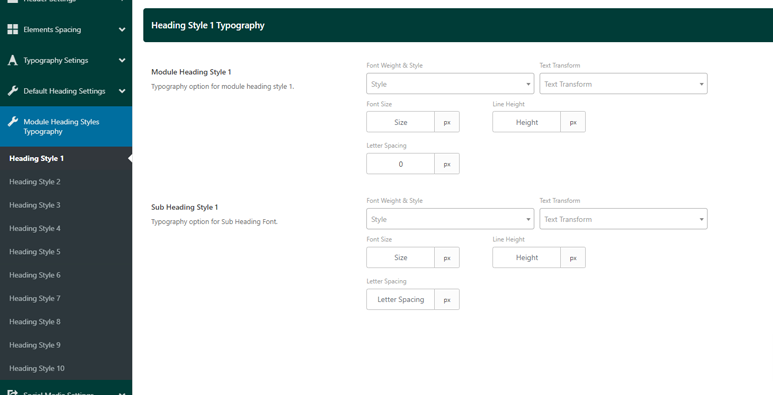
9 Panels for Module Heading Styles: Each panel corresponds to a unique module heading style, allowing for individual customization of typography. Within each panel, you can configure the following fields:
- Main Heading Typography: Set the font, size, weight, and other typography properties for the main heading of the module. If set, this will override the primary typography setting in the Typography tab.
- Subheading Typography: Customize the typography for the smaller subheading that appears alongside or beneath the main heading in the module layout. If set, this will override the secondary typography setting in the Typography tab.
Note: If any values are left empty in these panels, the settings from the Typography tab will be used by default.
This setup provides flexibility for applying unique typography to various modules while still maintaining overall consistency when necessary.